
Elevator Buttons: Types, Functions, Materials, and Buying Guide
author: Cloe
2026-09-02

Elevator buttons are small parts, but they are one of the most used components in any elevator system. Every passenger interacts with them before or during a ride. A floor button, door open button, alarm button, or hall call button may look simple from the outside, but each one sends an important signal to the elevator controller.
For building owners, contractors, maintenance companies, and elevator parts buyers, choosing the right elevator buttons is not only about appearance. It also affects safety, accessibility, durability, maintenance cost, and the user experience inside the elevator.
This guide explains the main types of elevator buttons, how they work, where they are used, what materials are available, and how to choose the right buttons for elevator COP and LOP systems.

What Are Elevator Buttons?
Elevator buttons are control components used to send passenger commands to an elevator system. They are normally installed on elevator control panels, landing panels, hall stations, and emergency panels.
Common elevator buttons include:
-
Floor selection buttons
-
Door open and door close buttons
-
Alarm buttons
-
Emergency call buttons
-
Hall call buttons
-
Braille elevator buttons
-
Touch buttons
-
Touchless elevator buttons
Inside the elevator car, these buttons are usually part of the COP, or Car Operating Panel. Outside the elevator, they are usually part of the LOP, or Landing Operating Panel, also called a hall station or landing panel.
In simple terms, elevator buttons are the link between passengers and the elevator control system.
How Do Elevator Buttons Work?
Elevator buttons work by sending an electrical signal to the elevator controller.
When a passenger presses a button, the button contact closes or activates a signal circuit. The controller receives this signal and processes the command. For example, if a passenger presses the button for floor 5, the elevator controller records the call and moves the elevator car to that floor according to its control logic.
Most elevator buttons also include an indicator light. When the button is pressed, the LED or lamp lights up to show that the command has been registered.
A basic elevator button system may include:
-
Button cap or touch surface
-
Mechanical contact or sensor
-
LED indicator
-
Wiring terminal or connector
-
PCB board, depending on the design
-
Signal input to the elevator controller
Different elevator buttons may use different signal methods, voltages, and connector types. That is why replacement buttons must be selected carefully.

Main Types of Elevator Buttons
Elevator buttons can be classified by function, location, operation method, and accessibility design. Below are the most common types used in elevator projects.
Floor Selection Buttons
Floor selection buttons are installed inside the elevator car. Passengers press these buttons to choose their destination floor.
They are usually marked with numbers, letters, or floor symbols. Common markings include:
-
1, 2, 3, 4, 5 for normal floors
-
G for ground floor
-
B or B1 for basement floors
-
L or LL for lobby or lower level
-
P for parking
-
PH for penthouse
Good floor buttons should be easy to read, easy to press, and clearly illuminated after activation.
Door Open and Door Close Buttons
Door open and door close buttons control elevator door movement.
The door open button keeps or reopens the elevator door when passengers need more time to enter or exit. It is especially useful for elderly passengers, wheelchair users, luggage, hospital beds, or moving goods.
The door close button is used to request faster door closing. In some elevator systems, this button may work with a delay or may only be active in certain service modes. Its function depends on local codes, elevator settings, and controller logic.
Alarm Buttons
An alarm button is an important safety button inside the elevator car. When pressed, it activates an audible alarm or sends an alert to building staff.
Alarm buttons are usually red, yellow, or clearly marked with an alarm symbol. They should be easy to find in an emergency.
Emergency Call Buttons
Emergency call buttons are used to contact help when passengers are trapped or need assistance. Depending on the elevator system, the button may connect to an intercom, emergency phone, monitoring center, or building management system.
In many modern elevators, the emergency call function is integrated with a communication device instead of being only a simple buzzer.
Braille Elevator Buttons
Braille elevator buttons are designed for visually impaired passengers. They include raised characters, tactile symbols, or Braille markings so users can identify the correct floor or command by touch.
Braille buttons are important for accessibility and are commonly required in public buildings, hospitals, commercial buildings, transport facilities, and residential projects.
Good accessible elevator buttons should provide:
-
Raised characters
-
Braille markings
-
Clear contrast
-
Proper button height
-
Audible or visual feedback
-
Easy operation without excessive force
Hall Call Buttons
Hall call buttons are installed outside the elevator, usually beside the landing door. They allow passengers to call the elevator from a floor.
In simple systems, there may be one call button. In more common systems, there are two buttons:
-
Up button
-
Down button
The selected button usually lights up after being pressed. In some systems, hall call buttons work together with hall indicators or direction lanterns.
Touch Buttons
Touch buttons use capacitive or touch-sensitive technology instead of traditional mechanical movement. They are often used in modern elevator COP designs with glass or acrylic panels.
Touch elevator buttons provide a clean and modern look. They are common in hotels, office buildings, shopping malls, and premium residential elevators.
However, touch buttons may require more careful design for feedback. Users should clearly know when the button has been activated. LED lighting, sound, or haptic feedback can help improve the user experience.
Touchless Elevator Buttons
Touchless elevator buttons use sensors to detect a hand or object near the panel. Passengers can activate the button without physical contact.
Touchless elevator buttons became more popular in public buildings, hospitals, office towers, and smart building projects because they support a cleaner user experience.
Common touchless technologies include:
-
Infrared sensors
-
Proximity sensors
-
Gesture sensors
-
QR code or mobile app integration
-
Access control integration
Touchless buttons are useful, but they should be designed carefully to avoid false activation or user confusion.

Elevator Buttons in COP and LOP Systems
To understand elevator buttons clearly, it is useful to understand where they are installed.
COP Buttons
COP stands for Car Operating Panel. It is the control panel inside the elevator car.
A typical elevator COP may include:
-
Floor selection buttons
-
Door open and door close buttons
-
Alarm button
-
Emergency call button
-
Display or floor indicator
-
Key switch
-
Intercom or speaker
-
Access control reader
COP buttons are used directly by passengers during the elevator ride. They must be durable, easy to understand, and suitable for frequent use.
LOP Buttons
LOP stands for Landing Operating Panel. It is installed outside the elevator on each floor.
A typical elevator LOP may include:
-
Up call button
-
Down call button
-
Position indicator
-
Direction indicator
-
Access control module, if required
LOP buttons help passengers call the elevator before entering the car. Their design should match the building environment and elevator control system.
Why COP and LOP Compatibility Matters
When buying replacement elevator buttons, buyers should check whether the button is used for COP or LOP. The size, wiring, voltage, connector, illumination method, and mounting structure may be different.
A button may look similar from the outside but may not work with the existing elevator system if the technical parameters do not match.

Common Materials for Elevator Buttons
Elevator buttons are used many times every day. Material quality affects durability, appearance, cleaning, and maintenance.
Stainless Steel Buttons
Stainless steel elevator buttons are widely used because they are strong, wear-resistant, and suitable for high-traffic buildings.
They are common in:
-
Commercial buildings
-
Public elevators
-
Residential elevators
-
Industrial elevators
-
Modernization projects
Stainless steel buttons are a practical choice when durability is more important than decorative design.
Plastic Buttons
Plastic elevator buttons are often used in cost-sensitive projects or older elevator systems. They are lightweight and easy to produce.
However, plastic buttons may wear faster than metal buttons, especially in heavy-use environments.
Glass Touch Buttons
Glass touch buttons are used in modern COP panels. They create a clean, premium appearance and are often combined with LED indicators and dark glass surfaces.
They are suitable for:
-
Hotels
-
Office buildings
-
Luxury residential projects
-
Smart building interiors
Vandal-Resistant Buttons
Vandal-resistant elevator buttons are designed for public areas where impact, misuse, or heavy traffic may occur.
They often use strong metal construction, secure mounting, and durable surface treatment. These buttons are suitable for transport stations, schools, public buildings, shopping malls, and outdoor elevator applications.
Illuminated LED Buttons
Many elevator buttons include LED illumination. The light helps passengers know whether the button has been pressed.
LED buttons may use different colors, such as white, red, blue, green, or amber, depending on the elevator design and project requirements.
Common Elevator Button Layouts
Button layout affects how easily passengers can find and use the correct button.
Linear Layout
A linear layout places buttons in one vertical or horizontal line. It is simple and easy to understand.
This layout is common in low-rise buildings, residential elevators, and small commercial projects.
Grid Layout
A grid layout arranges buttons in rows and columns. It is often used in high-rise buildings with many floors.
A grid layout saves space and keeps the panel organized. However, the design should still make floor numbers easy to find.
U-Shaped Layout
A U-shaped layout groups buttons in a curved or U-like pattern. It can be used when the panel design needs a special appearance or when floors are grouped by zones.
Custom COP Layout
Custom COP layouts are used when a project needs special functions, such as:
-
Access control
-
VIP floors
-
Fire service key switches
-
Destination control
-
Emergency communication
-
Special floor designations
For custom layouts, clear labeling and user logic are more important than decoration.
High-Rise Elevator Button Layout
High-rise buildings may have many floor buttons. In these cases, the panel should avoid visual confusion.
Common solutions include:
-
Grid layout
-
Floor grouping
-
Destination control system
-
Larger digital interface
-
Clear zoning for special floors
Accessibility Requirements for Elevator Buttons
Accessibility is a key part of elevator button design. Elevator buttons should be usable by as many passengers as possible, including people with visual, mobility, or age-related limitations.
Important accessibility features include:
-
Braille markings
-
Raised characters
-
Clear contrast between button and background
-
Proper mounting height
-
Audible feedback
-
Visual indicator light
-
Easy-to-press button surface
-
Logical button arrangement
For public buildings and international projects, buyers should always check local elevator codes and accessibility standards before selecting elevator buttons or COP panels.
Modern Elevator Button Technologies
Elevator button technology is changing, especially in smart buildings and high-end commercial projects.
Touch-Sensitive Buttons
Touch-sensitive buttons offer a smooth panel surface and modern appearance. They are often used with glass COP panels and LED indicators.
Touchless Sensor Buttons
Touchless sensor buttons allow users to activate elevator commands without touching the panel. They are useful in hospitals, offices, airports, shopping malls, and other public spaces.
Destination Control Systems
In destination control systems, passengers choose their destination floor before entering the elevator. The system assigns an elevator car based on traffic logic.
This may reduce the number of traditional floor buttons inside the elevator car.
Voice Control
Some advanced elevator systems can use voice control. This can improve accessibility and reduce contact, but it requires stable recognition, language support, and reliable integration.
Haptic Feedback
Haptic feedback gives users a small vibration or tactile response when they touch a button or screen. This helps users confirm that the command has been received.
Access Control Integration
Modern elevator buttons may work together with card readers, QR codes, PIN access, facial recognition, or building management systems.
This is common in office buildings, hotels, apartments, and restricted-access floors.
How to Choose the Right Elevator Buttons for Your Project
Choosing elevator buttons is not only a design decision. Buyers should check both appearance and technical compatibility.
|
Selection Factor
|
What to Check
|
|---|---|
|
Application
|
COP, LOP, hall station, emergency panel
|
|
Button Type
|
Mechanical, touch, touchless, Braille, emergency
|
|
Material
|
Stainless steel, plastic, glass, vandal-resistant metal
|
|
Voltage
|
Match the elevator control system
|
|
Signal Type
|
Contact output, PCB interface, sensor signal
|
|
Illumination
|
LED color, brightness, feedback method
|
|
Mounting Size
|
Panel cutout, button diameter, fixing method
|
|
Wiring
|
Terminal type, connector type, cable length
|
|
Accessibility
|
Braille, raised characters, contrast, operation force
|
|
Environment
|
Indoor, outdoor, hospital, hotel, public area
|
|
Maintenance
|
Easy replacement, spare part availability
|
|
Design Match
|
COP style, LOP style, cabin decoration
|
Before ordering elevator buttons, it is best to confirm the original model, panel drawing, button size, voltage, and wiring diagram.

Recommended Elevator Buttons by Building Type
Different buildings need different button designs.
|
Building Type
|
Recommended Elevator Buttons
|
|---|---|
|
Residential building
|
Standard push buttons, Braille buttons
|
|
Office building
|
Stainless steel buttons, LED floor buttons, access control buttons
|
|
Hotel
|
Glass touch buttons, backlit buttons, premium COP buttons
|
|
Hospital
|
Large buttons, Braille buttons, touchless buttons, easy-clean surfaces
|
|
Shopping mall
|
Vandal-resistant buttons, illuminated call buttons
|
|
School or public building
|
Durable push buttons, vandal-resistant buttons, accessible buttons
|
|
High-rise building
|
Grid layout buttons, destination control interface, clear floor zoning
|
|
Modernization project
|
Replacement buttons matched to existing COP or LOP cutouts
|
This table can help buyers narrow down the right button type before checking detailed technical parameters.
Common Elevator Button Problems and Replacement Tips
Elevator buttons can fail due to frequent use, dirt, moisture, wiring issues, or component aging.
Common problems include:
-
Button does not respond
-
Button indicator light does not turn on
-
Button stays stuck after being pressed
-
Button feels loose
-
Button cap is damaged
-
Braille plate is worn
-
LED light fails
-
Wiring is loose
-
Button contact is damaged
-
Wrong voltage after replacement
-
Controller does not receive the signal
Before replacing elevator buttons, check:
-
Button model and dimensions
-
Panel cutout size
-
Rated voltage
-
Wiring method
-
Connector type
-
LED color and voltage
-
COP or LOP application
-
Compatibility with the controller
-
Local safety and accessibility requirements
Do not replace elevator buttons only by appearance. Two buttons may look the same but use different internal structures or electrical parameters.
For safety, installation and replacement should be handled by qualified elevator technicians.
FAQs About Elevator Buttons
What are elevator buttons called?
Elevator buttons may be called elevator control buttons, elevator push buttons, floor buttons, hall call buttons, COP buttons, LOP buttons, or elevator panel buttons. The exact name depends on where the button is installed and what function it performs.
How do elevator buttons work?
Elevator buttons send an electrical signal to the elevator controller. When a button is pressed, the controller receives the command and processes it. The indicator light usually turns on to show that the call or floor selection has been registered.
What is the difference between elevator buttons and elevator controls?
Elevator buttons are individual input components. Elevator controls refer to the larger control system, including buttons, panels, indicators, key switches, door controls, emergency communication, and the elevator controller.
What does G mean on elevator buttons?
G usually means ground floor. In many buildings, it refers to the main entrance level. However, floor labels can vary by country, building design, and project requirements.
What does B mean on elevator buttons?
B usually means basement. B1, B2, and B3 are commonly used for underground floors, parking levels, or service levels.
Do elevator close buttons really work?
It depends on the elevator system and local settings. In some elevators, the door close button works normally. In others, it may work only in service mode or after a delay. Some systems limit this function for passenger safety and accessibility.
Why do elevator buttons light up?
Elevator buttons light up to confirm that the command has been registered. The light helps passengers know that the elevator system has received the floor selection, hall call, or door command.
What are Braille elevator buttons?
Braille elevator buttons are buttons with raised tactile markings or Braille dots. They help visually impaired passengers identify floors and elevator commands by touch.
What materials are used for elevator buttons?
Common materials include stainless steel, plastic, glass, acrylic, and vandal-resistant metal. The best material depends on the elevator type, traffic level, building environment, and design requirements.
What are touchless elevator buttons?
Touchless elevator buttons use sensors to detect a hand or object near the button area. They allow passengers to activate elevator commands without physical contact.
How do I choose replacement elevator buttons?
Check the original button size, voltage, wiring, connector type, LED type, panel cutout, and COP or LOP application. Compatibility is more important than appearance.
Can elevator buttons be customized?
Yes. Elevator buttons can often be customized with different shapes, materials, LED colors, symbols, Braille markings, floor labels, and panel layouts. Customization should still follow elevator safety and accessibility requirements.
Conclusion
Elevator buttons are small but essential parts of an elevator system. They help passengers select floors, control doors, call for help, and use the elevator safely and comfortably.
When choosing elevator buttons, make sure they match the COP or LOP design, voltage, wiring method, mounting size, and accessibility requirements. The right button should be easy to use, durable, and compatible with the elevator control system.
If you need elevator buttons for replacement, modernization, or new elevator projects, contact us. We can help you choose suitable button parts based on your panel design and technical requirements.
How to Choose an Escalator Handrail: A Complete Buying Guide
7 Critical Escalator Safety Devices You Must Know for High-Traffic Areas
Related Article

Yes, most lift doors have a sensor — but not all, and not the same type. How to tell what your door has in three checks, and what the sensor still cannot cover.
Do Elevator Doors Have Sensors? The Straight Answer
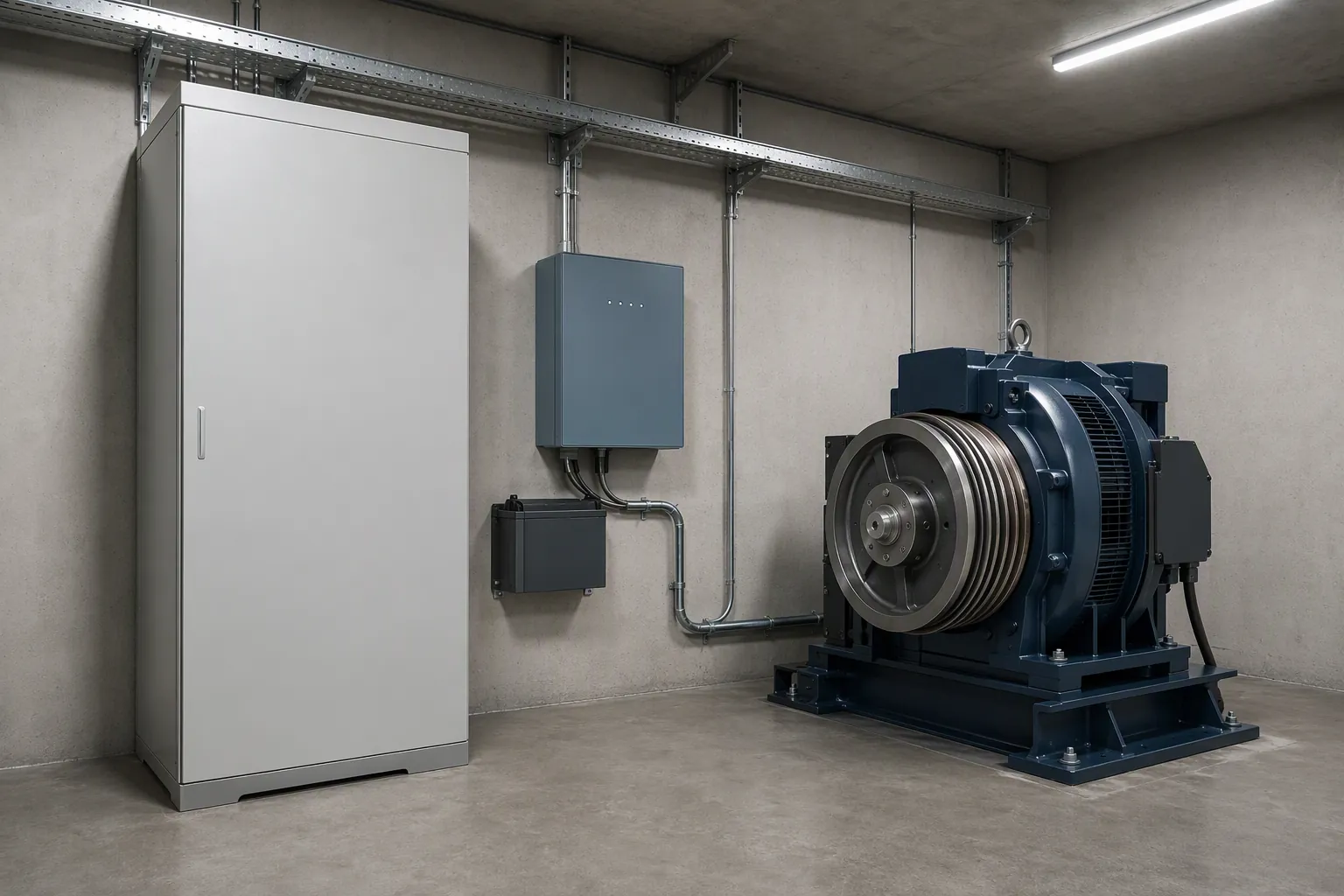
What an elevator ARD is, how the automatic rescue device works, what 220V and 380V models mean, how to size one for your lift, and what drives the price.
Elevator ARD: Automatic Rescue Device Guide & Specs
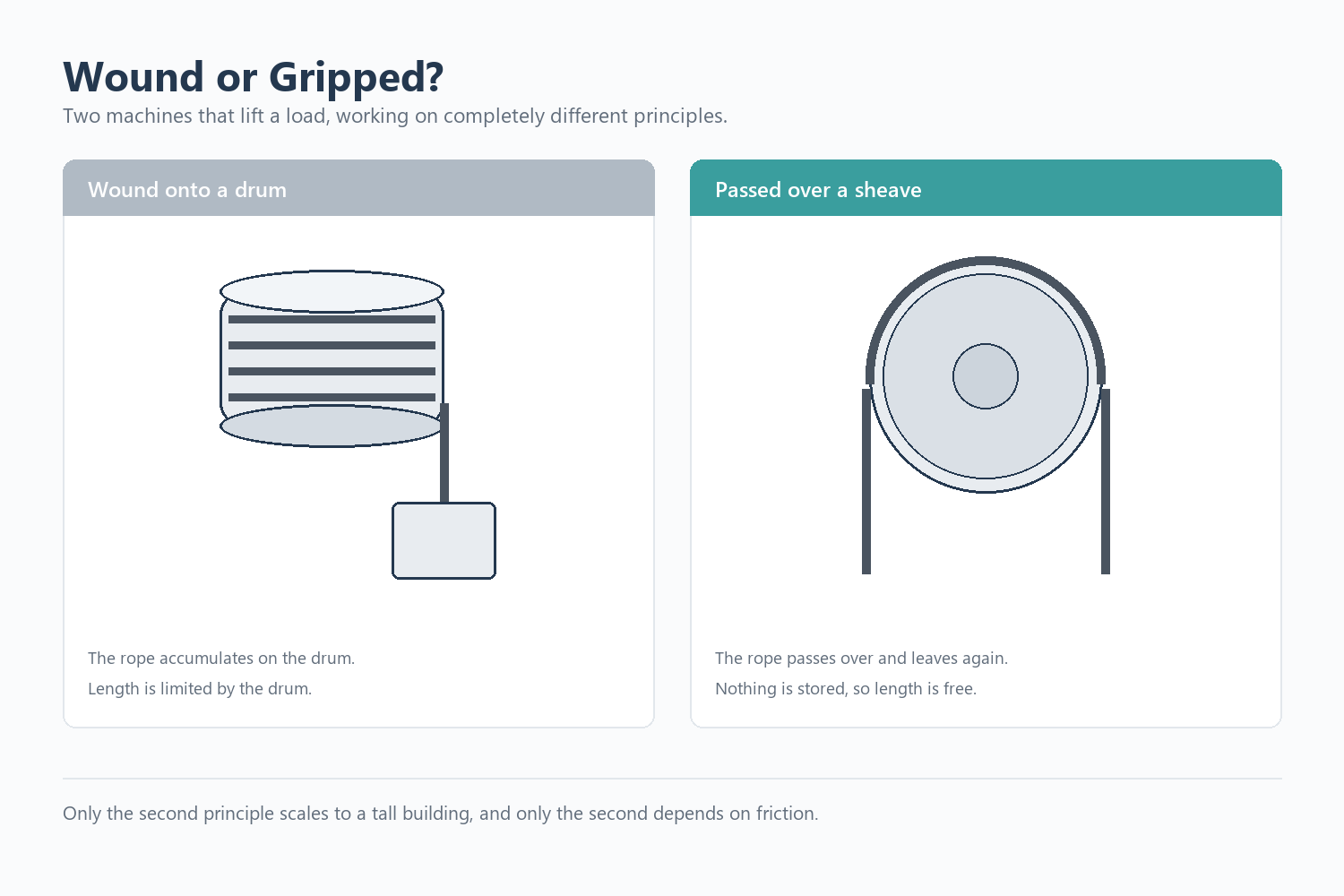
Most explanations of how an elevator traction machine works say the same thing: the motor turns a wheel, the wheel moves the ropes, the car goes up. That is true, but it skips the part that actually explains the machine.
A traction machine does not wind the ropes onto a drum. It grips them.
A traction machine does not wind the ropes onto a drum. It grips them.
How an Elevator Traction Machine Works
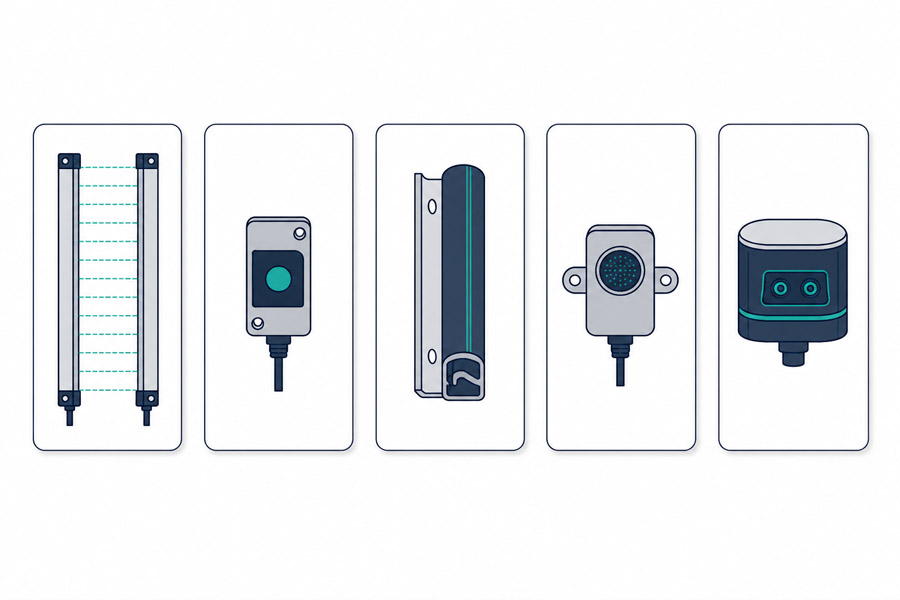
Elevator door sensor types fall into five groups: infrared light curtains, photo eyes, mechanical safety edges, ultrasonic sensors, and 3D sensors. This guide covers each type, how to identify the one you already have, and which to choose.
Elevator Door Sensor Types: How to Identify and Choose